


Breaking the Myth: CD/DVD Damage and Deterioration
Clever marketing describes CDs and DVDs as nearly indestructible, but that’s a myth. CDs/DVDs are more vulnerable than you might think and CD/DVD Care is important. To understand disc damage, it helps to understand CD and DVD construction and how the CD/DVD player reads them.
The production of a CD or DVD begins with a 1-mm thick polycarbonate disc that has the data pattern impressed on one side as tiny pits. A reflective aluminum film that is only a few atoms thick then coats the data layer. Next, a very thin acrylic layer (1/3 the diameter of a human hair) coats the aluminized layer and dries. Finally, inks with the label information cover the very thin acrylic layer.
Reading a CD/DVD
CD/DVD readers rely on laser light reflected from the aluminized layer to obtain the digital signal. The disc is ingeniously designed so the light reflected from the pits has opposite phase from the non-pitted light reflection. This appears to the reader as a flickering light that is read as a series of ones and zeros. In turn, this digital signal gets decoded into music and video.
CD/DVD Care to Avoid and Repair Damage
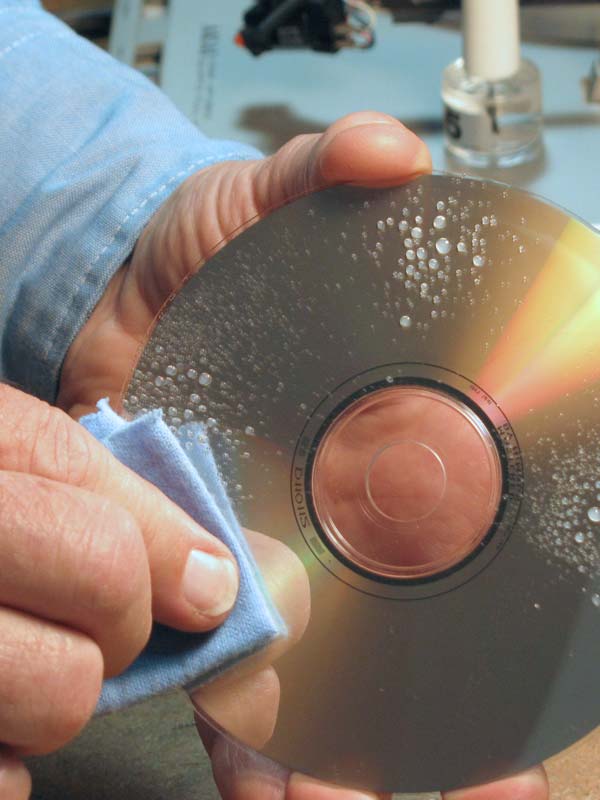
Minimize Damage on the Read Side
When the laser in your CD/DVD player reads the digital information from the shiny side of the CD/DVD, it must see every microscopic “pit” of the digital code. Dirt, fingerprints, or scratches that come between the laser and the information prevent the correct reading of the musical or video information. In addition, the disc contains redundant information it uses for correcting errors. However, a build up of dirt and/or scratches make more and more of those corrections necessary. This situation can create delays or loss of data and take away from the musical or video experience. A large scratch may cause “skipping” or prevent playback entirely. Your goal in CD/DVD Care is to minimize that loss of data.
Prevent Oxidation to the Aluminized Layer
Any oxygen that penetrates to the aluminized layer can permanently damage your CD/DVDs. When oxygen combines with the aluminized layer, it forms aluminum oxide that is transparent and CANNOT reflect the laser beam. The lack of a reflected signal confuses the CD/DVD processor such that you may hear distortion or see degraded video.
The Label Side Matters, Too.
The acrylic layer (on the label side) is very thin and any pinholes formed during manufacturing or any scratches in the acrylic can expose the aluminized layer to the damaging effects of oxygen.
Double-sided DVDs are unlikely to have this problem because the thick polycarbonate sandwich protects the aluminized layer. However, keeping both sides of the CD/DVD clean will help prevent dirt from collecting on the thin label size. Dirt on the label side can then create data-losing scratches.